
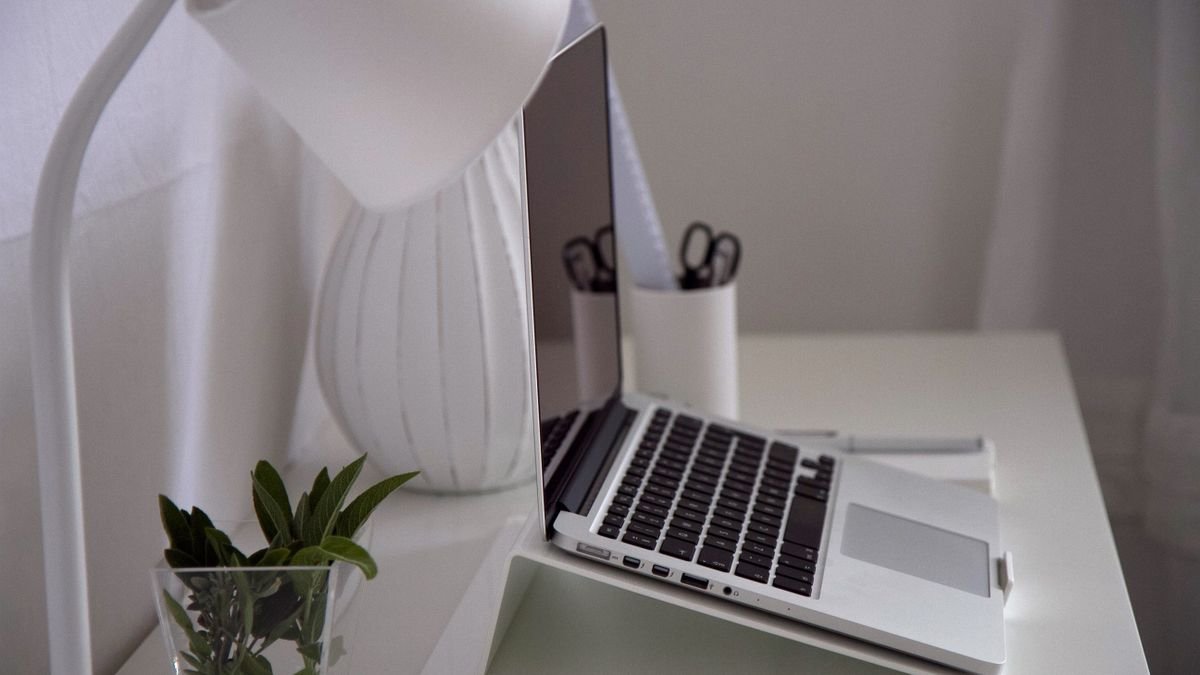
A desk fills up faster than you expect. The laptop lies flat in the middle, the phone sits face up beside it with a charging cable trailing off the edge, and earbuds and a watch find whatever space is left. Lifting things off the surface is the quickest fix. A laptop stand raises the screen and frees the space underneath, and an upright charging stand gives your phone a fixed spot where it charges and stays visible.
This guide groups five stands by the job they do, then finishes with a few ideas for arranging them.
Three Ways to Reclaim Your Desk
All five stands below are listed on the manufacturer’s European store. Choose by how you use the laptop: open in front of you, closed beside a monitor, or both.
Raise the Laptop You Work On
Laptop Stand for Desk Adjustable
This aluminium stand lifts the laptop through five height levels, bringing the screen closer to eye level and the camera to a better angle for video calls. Soft silicone on the surface and feet protects the laptop from scratches, and two curved supports stop it from sliding. Raising the base also improves airflow underneath. It holds laptops and tablets from 8 to 17.3 inches and up to 5kg, and folds flat into the included felt bag, so it can travel to the office or a café as well.
Pair it with a separate keyboard and mouse and you have an ergonomic workstation that packs away at the end of the day.
Stand the Laptop Upright
Adjustable Vertical Laptop Stand
When the laptop is connected to a monitor and stays closed, it does not need to lie flat at all. This vertical stand holds it on its edge and takes up a fraction of the space. The slot adjusts with a screw to fit laptops from 0.5 to 1 inch thick, silicone pads inside protect the case, and a heavy aluminium base keeps everything steady. It suits anyone who uses a vertical laptop stand to turn a laptop into a desktop computer at the end of a cable.
2-in-1 Adjustable Laptop Stand (Vertical and Horizontal)
Not sure which way you will use it? This stand switches between an upright storage mode for when the laptop is closed and a raised horizontal mode for working on the screen. The width adjusts from 0.49 to 1 inch, 13 rubber grips and anti-slip pads protect the laptop, and the aluminium build gives it enough weight to stay put. It folds when not in use.

Charge the Phone Upright
MagFlow Pro Magnetic Wireless Charging Stand (3-in-1, Qi2 25W)
One stand for iPhone, watch and earbuds. The magnetic pad charges a recent iPhone at up to 25W with Qi2, which the maker says takes an iPhone 17 Pro Max from empty to 50 percent in 26 minutes. Active TEC cooling keeps the charging surface cooler, a small LED display shows the power, temperature and status for each device, and the phone can tilt through up to 90 degrees for comfortable viewing. A 45W USB-C adapter is included.
Zapix 2-in-1 Magnetic Charger Stand (Qi2 25W, MagSafe Compatible)
A smaller footprint for phone and earbuds. It charges an iPhone at the full 25W Qi2 speed while a pad in the base tops up AirPods or other Qi earphones at 5W. Sixteen magnets with 7N of hold snap the phone into place so it stays aligned. A magnetic charging stand like this keeps the phone upright for notifications and video calls while it charges.
Quick Desk Setup Ideas
For a laptop you work on directly, place the adjustable stand at the back of the desk and bring a keyboard and mouse to the front. For a laptop that feeds a monitor, stand it vertically to one side and leave the centre for writing and drinks. Put the charging stand within arm’s reach of your usual seat, so the phone goes back on it after every call, and run its cable behind the desk instead of across it.
A Clearer Desk
Raising the laptop and standing the phone up are two small changes that free a surprising amount of space. The adjustable stand suits open-laptop work, the vertical and 2-in-1 stands suit a monitor setup, and the MagFlow Pro and Zapix give your phone a permanent, charging home. A Qi2 charging stand and a laptop stand together make a desk that is easier to keep tidy.
All five are available from UGREEN. When you want another short read on home office ideas, 2minuteread has plenty to choose from.