
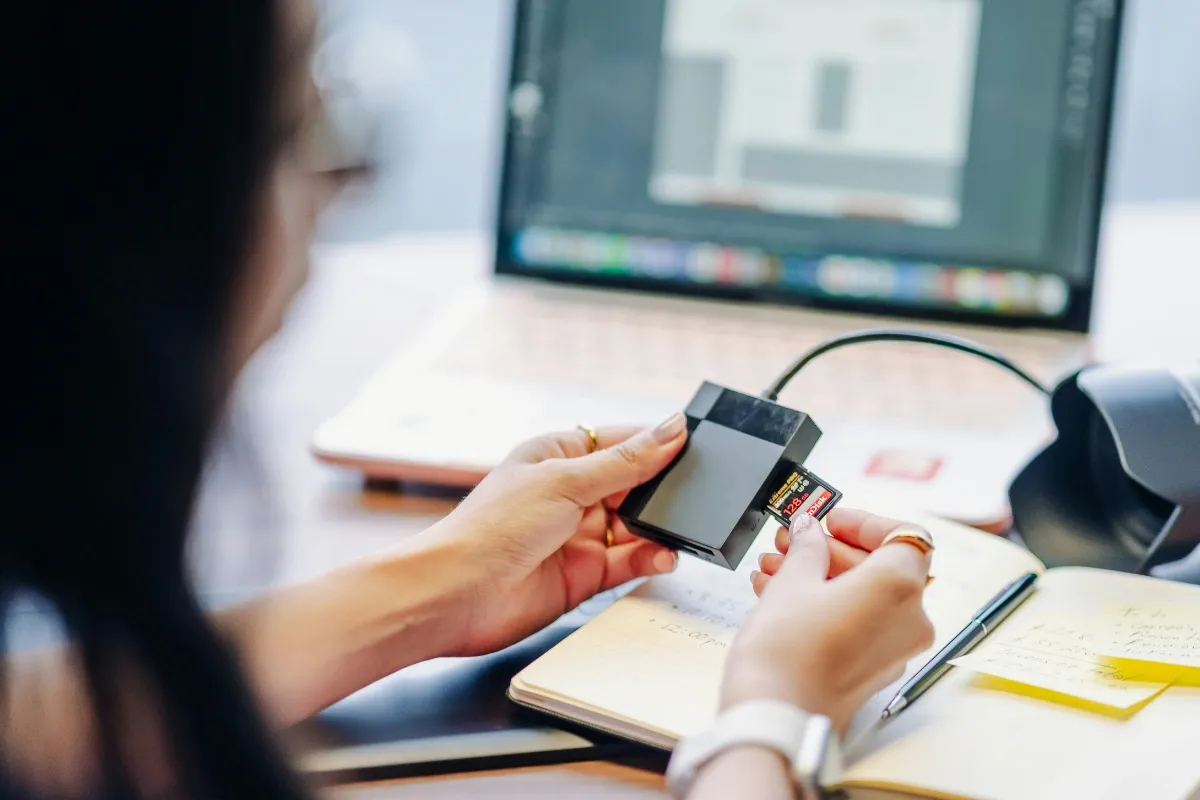
A good card reader is one of those little accessories you don’t think much about—until you desperately need one. Whether you’re moving holiday photos, backing up important files, or transferring large videos from a camera, a slow or unreliable reader can turn a simple task into a test of patience. That’s why choosing the right card reader options matters more than it might seem. The good news? Today’s readers offer faster connections, broader compatibility, and practical designs that can make everyday file transfers considerably easier.
Why a Reliable Reader Makes a Difference
Memory cards are convenient, but they’re only useful if you can quickly access what’s stored on them. This is where card reader options become an important part of a digital setup. Instead of relying on a camera or another device to transfer everything, a dedicated reader gives you a direct way to move files between your memory card and compatible equipment.
For photographers, students, professionals, and casual users alike, that convenience can save plenty of time. Imagine returning from a trip with hundreds of pictures and wanting to back them up before dinner. Nobody wants to spend the evening watching a tiny transfer bar crawl across the screen.
The best card reader options combine speed and simplicity. They’re easy to connect, straightforward to use, and capable of handling the memory card formats you actually own.
Features Worth Looking For
Before choosing between different card reader options, take a moment to think about your normal workflow. A reader that’s perfect for occasional photo transfers may not be ideal for someone moving large video files every day.
Here are a few things worth checking:
- Card compatibility: Make sure the reader supports the SD, microSD, TF, or other card formats you regularly use.
- Connection type: USB-A remains useful, while USB-C is increasingly common on newer laptops, tablets, and phones.
- Transfer speed: USB 3.0 connectivity can make a noticeable difference when moving larger files.
- Portability: A compact reader is easier to carry between home, office, studio, and travel locations.
- Build quality: If the reader is going into your bag every day, sturdy construction is worth considering.
- Extra functionality: Multi-slot designs or additional ports can make one accessory useful for several tasks.
These details can help narrow down the card reader options without getting lost in a sea of technical specifications.
Choosing the Right Connection
USB connectivity is one of the first things to consider when comparing card reader options. Older computers and many desktop setups still use USB-A, while newer laptops and mobile devices increasingly rely on USB-C.
If most of your equipment uses USB-C, choosing a compatible reader can save you from carrying an additional adapter. That’s especially useful when you’re travelling. There’s already enough stuff rattling around in a laptop bag without adding another tiny dongle that mysteriously disappears whenever you need it.
On the other hand, USB-A remains practical for many existing setups. The key is simply matching the reader to your devices rather than assuming the newest connector is automatically the best choice.
For users who frequently transfer large files, high-speed card readers can be particularly worthwhile. Faster transfers can reduce waiting time and keep your workflow moving.
Options for Different Everyday Needs
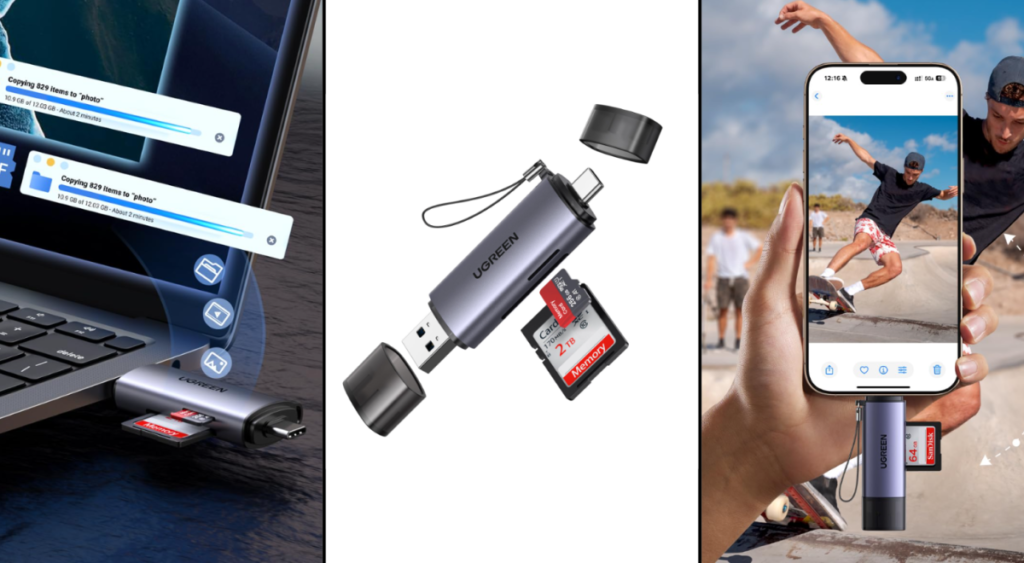
Among the available card reader options, the UGREEN 4-in-1 USB 3.0 SD/TF card reader is suited to people who work with multiple memory card types. Its multi-slot design can be handy for photographers, creators, and users who regularly switch between different cards. Instead of keeping separate readers nearby, one accessory can cover several common requirements.
The 3-in-1 USB-C SD card reader takes a more modern approach by focusing on USB-C connectivity. It can be useful for people working with newer laptops and compatible mobile devices. If your setup has gradually moved away from traditional USB-A ports, this type of reader can make your daily transfers simpler.
For users who prefer something straightforward, the 2-in-1 USB SD card reader provides a more focused design. It makes sense when you don’t need numerous card slots and simply want a compact accessory for routine transfers and backups.
Another interesting choice is the USB 3.0 Hub card reader with phone stand. This combines card-reading functionality with additional convenience, particularly for people who like keeping their phone visible while working. It’s a useful reminder that some card reader options can do more than one job.
Finding the Best Fit for Your Workflow
When looking at card reader options, don’t automatically assume that the most feature-packed model is the right one. Your habits should guide the decision.
If you transfer photos occasionally, portability and simplicity may matter most. There’s no need to buy an elaborate accessory when a small reader can handle everything you need.
For photographers, videographers, and other frequent users, best USB card readers should offer dependable connectivity and efficient transfer speeds. Moving hundreds of large files repeatedly can make the difference between a smooth workflow and a frustrating afternoon surprisingly obvious.
Multi-format compatibility is another consideration. If you use both full-size SD cards and smaller cards, choosing versatile card reader options can reduce the number of accessories on your desk.
When Speed Really Matters
Transfer speed deserves particular attention if you’re working with high-resolution photographs or video. A handful of documents won’t take long regardless, but large media files are another story.
This is where card readers worth buying tend to stand apart from basic alternatives. A capable reader can help reduce transfer times while providing a more consistent experience. Of course, actual performance depends on the memory card, USB connection, computer, and file sizes involved, so the reader isn’t working alone.
Still, choosing appropriate card reader options can prevent an unnecessary bottleneck. If your memory card and computer are both capable of fast transfers, there’s little reason to introduce a slow accessory into the middle of the process.
Don’t Forget About Backups
File transfers aren’t only about speed. They’re also about protecting the things you don’t want to lose.
Photos from a family celebration, important work documents, or years of creative projects can represent far more than their file sizes suggest. Having dependable card reader options makes it easier to regularly copy those files somewhere safe.
A simple routine can help:
- Transfer important files from the memory card.
- Check that the copied files open correctly.
- Keep another backup on separate storage when possible.
- Only format or reuse the memory card once you’re confident the files are safely backed up.
That extra few minutes can save a lot of heartache later.
Final Thoughts
The right card reader options can turn file transfers from a tedious chore into a quick, dependable part of your routine. From simple backups to large media projects, choosing a reader that matches your cards, devices, and workflow can make all the difference. UGREEN provides several practical choices for different connectivity and usage needs, making it easier to find an option that fits the way you work. Sometimes, the smallest accessory really can make the biggest difference.
For more tech tips, smart gadget ideas, and practical solutions to make everyday life more convenient, explore more useful content with 2minuteread.