

As laptops have grown thinner, the number of ports built into them has shrunk. Many modern machines now offer little more than a couple of USB-C sockets, which looks clean but quickly becomes limiting the moment you need to connect a monitor, an external drive, and a wired network all at once. A good USB-C hub solves that problem by turning a single port into a whole array of connections. Knowing what to look for, though, makes the difference between a device that quietly transforms your desk and one that leaves you constantly frustrated.
What Is a USB-C Hub?
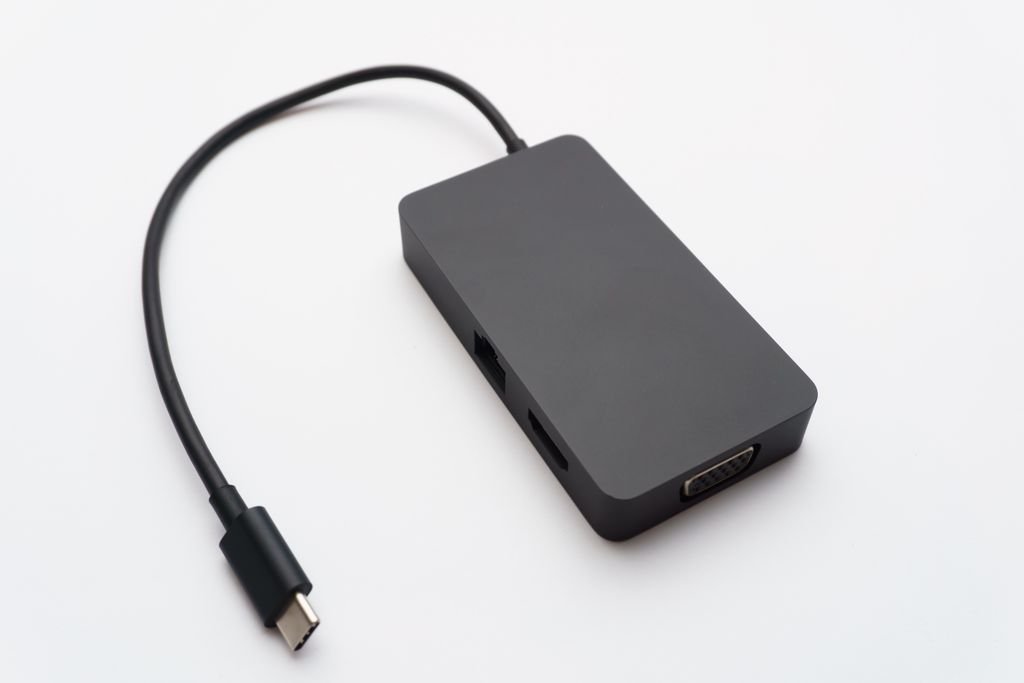
A USB-C hub is a compact adapter that plugs into one of your laptop’s USB-C ports and expands it into several. Depending on the model, that might include full-size USB-A sockets for older accessories, an HDMI output for a monitor, an SD card reader, a headphone jack, and more. Because everything runs through a single cable, a hub keeps your setup tidy while giving you back the flexibility that slim laptops sacrifice. For most people, it is the simplest and most affordable way to reconnect the accessories they already own without upgrading anything else.
Hub or Docking Station: What Is the Difference?
The terms are often used interchangeably, but there is a useful distinction worth understanding. A hub is typically small, portable, and powered by the laptop it plugs into, which makes it ideal for travel and hot-desking. A docking station is usually larger, has its own power supply, and offers more ports as well as the ability to drive multiple high-resolution displays. If you want a permanent command centre for your desk that connects everything with a single cable each morning, a docking station is the natural choice. If you want something to slip into a bag and use anywhere, a hub wins comfortably.
The Ports That Matter Most
Before buying, make a quick list of what you actually plug in day to day. Most people want at least one HDMI output, a couple of USB-A ports for a mouse, keyboard, or memory stick, and often an SD card slot if they work with photos or video. A wired Ethernet port is invaluable for anyone who needs a stable connection for video calls or large downloads. Buying a hub with a few more ports than you currently need is sensible, because your accessories will inevitably change over time and a spare socket is rarely wasted.
Display Output and Multiple Monitors
If you plan to connect an external screen, pay close attention to the resolution and refresh rate the hub supports. For a sharp 4K picture, look for models that clearly state 4K at 60Hz, as weaker adapters sometimes cap 4K at a sluggish 30Hz that feels jerky and tiring for everyday use. Anyone wanting a dual-monitor setup should check that the hub or dock genuinely supports two independent displays, and confirm their laptop can output to them, since this depends on the machine’s own capabilities as much as on the accessory itself.
Power Delivery and Passthrough Charging
One of the most useful features to look for is Power Delivery passthrough. This lets you connect your laptop charger to the hub, so a single cable both charges your laptop and runs all your accessories at the same time. When comparing models, check the passthrough wattage and subtract a little for the hub’s own needs, making sure what is left is enough to charge your particular laptop at full speed. Without adequate passthrough power, a demanding laptop may charge slowly, or not at all, while it is docked and working hard.
Build Quality, Heat, and Reliability
A hub handles data, video, and power all at once, so build quality matters more than its modest size might suggest. Aluminium housings help dissipate heat and feel far more durable than plastic, while a fixed, well-made cable is less likely to work loose than a flimsy one. Reliable data transfer is worth prioritising too, so look for hubs that support modern USB speeds and let external drives and card readers move files quickly rather than crawling. A little extra spent on a solidly built unit pays off in years of trouble-free use at your desk.
What to Look for in the Best USB-C Hub
Pulling it all together, the best USB-C hub for you is the one that matches your daily tasks without making you pay for ports you will never touch. Prioritise the display output you need, enough USB ports for your peripherals, Power Delivery passthrough if you want single-cable charging, and Ethernet if a stable connection is important. A trusted brand with a solid warranty gives real peace of mind, because a hub effectively becomes the hub of your entire workspace, and any weakness in it affects everything connected downstream.
How to Choose the Right One
Decide first whether you need portability or a permanent desk setup, as that single question points you towards a compact hub or a full docking station. Next, count the accessories you connect regularly and pick a model that covers them with a little room to spare. Confirm the display support matches your monitor, check the passthrough power suits your laptop, and favour a well-built model from a reputable maker. Get those points right and your hub will quietly do its job every day without ever demanding a second thought.
The Bottom Line
A USB-C hub or docking station is one of the most practical accessories you can add to a modern laptop, restoring the ports that thin designs leave out and tidying your whole workspace in the process. Match the ports, display output, and passthrough power to how you actually work, and lean towards quality build for long-term reliability. The lineup from UGREEN covers everything from pocket-sized travel hubs to full docking stations, making it a strong starting point whatever your setup happens to look like.
For more helpful tips and inspiration, visit 2MinuteRead.